T-Shirt Designs

Designing wearable graphics using color constraints and strong visual principles

Quick Summary

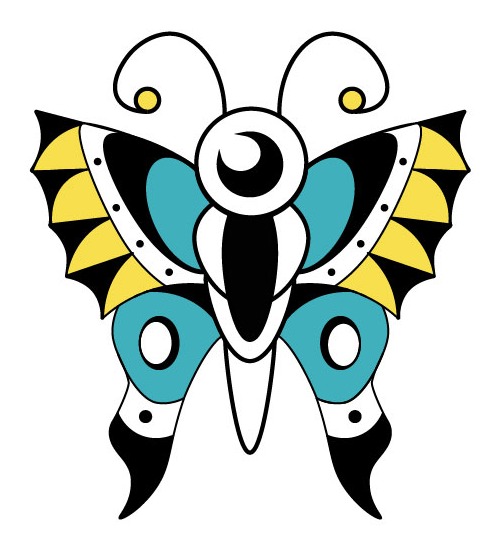
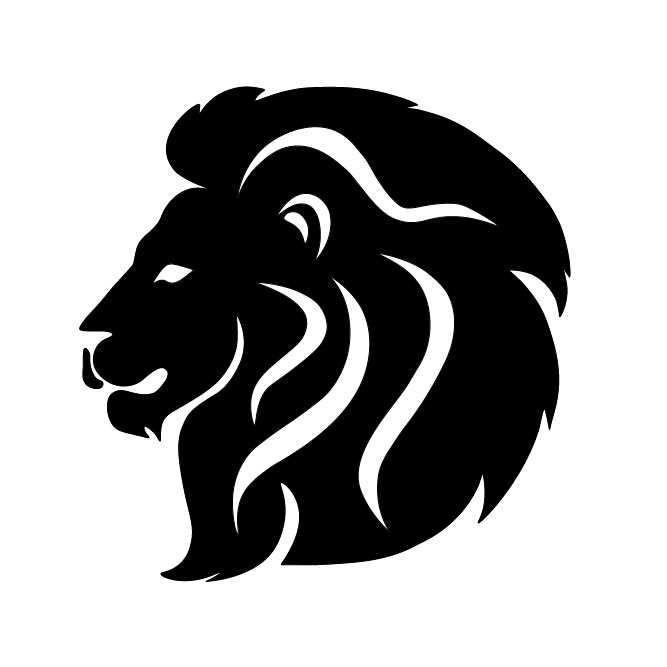
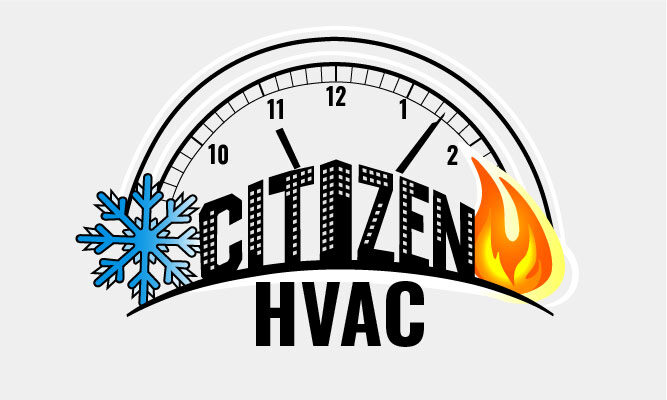
This project focused on creating three original t-shirt designs using strict color limitations (1-color, 2-color, and 3-color). The goal was to explore how color, composition, and simplification impact readability and print quality in apparel design.


 Problem


T-shirt graphics must balance creativity with production constraints. Unlike digital-only designs, they need to:

  • Work with limited color palettes

  • Maintain clarity when printed on fabric

  • Be visually impactful from a distance

The challenge was to create three distinct designs while progressively increasing color complexity (1, 2, and 3 colors) without losing clarity or visual strength. 

Role + Constraints

Role: Graphic Designer

Constraints:

  • 3 designs total:

    • 1-color design

    • 2-color design

    • 3-color design

  • Use of custom typography

  • Demonstrate mastery of:

    • Pathfinder & Shape Builder

    • Pen and Brush tools

  • Designs needed to be high-quality and wearable


Process
1. Ideation & Thumbnails
  • I brainstormed multiple concepts and created thumbnail sketches to explore:

    • Layout and composition

    • Use of typography

    • Visual hierarchy

    This helped identify which ideas would translate best to apparel.


2. Designing with Color Constraints

Each design required a different approach:

  • 1-Color Design

    • Focused on strong silhouette and contrast

    • Relied heavily on shape and negative space

  • 2-Color Design

    • Introduced hierarchy and depth

    • Used contrast to separate elements

  • 3-Color Design

    • Allowed for more complexity

    • Required balance to avoid visual clutter


3. Refinement & Tool Application

Using Illustrator, I refined each design by:

  • Cleaning up vector paths

  • Simplifying shapes for print

  • Using Pathfinder and Shape Builder to construct forms

  • Applying Pen and Brush tools for precision


4. Critique & Iteration

After presenting the designs for critique, I identified areas for improvement such as:

  • Enhancing readability

  • Adjusting spacing and composition

  • Strengthening contrast

I revised the designs based on feedback to improve overall quality.


Solution

The final set of t-shirt designs:

  • Successfully use limited color palettes without losing impact

  • Balance creativity with functionality

  • Demonstrate strong composition and visual hierarchy


Why This Works
  • Color limitations forced intentional design decisions

  • Bold shapes improve visibility and wearability

  • Simplified graphics translate better to screen printing


Results
  • Created 3 fully developed, print-ready designs

  • Demonstrated technical proficiency in Illustrator tools

  • Successfully presented and iterated based on critique

  • Produced portfolio-ready apparel concepts


What I Learned

This project strengthened my ability to:

  • Design within real-world production constraints

  • Simplify visuals without losing meaning

  • Use color strategically instead of decoratively


 Contact

Interested in custom apparel or graphic design work?

Let’s collaborate — [email protected]

Simple Character Design & Animation

Designing and animating a character using simple shapes and expressive motion


Quick Summary

This project involved creating an original character using simple shapes and animating it in After Effects. The focus was on developing a clean, recognizable design and bringing it to life through motion.


Problem

Creating a simple character requires balancing:

  • Minimal design with strong personality

  • Clarity with expressiveness

  • A static design that can also work in motion

The challenge was to design a character that remains visually clear while also supporting engaging animation.


Role + Constraints

Role: Character Designer & Animator

Tools:

  • Adobe Illustrator

  • Adobe After Effects

Constraints:

  • Character built using simple shapes

  • 10-second animation

  • Must include interesting movement

  • Original design required

  • Presented for critique


Process
1. Character Concept
 

I defined the character’s:

  • Personality

  • Mood

  • Visual style

This ensured the design had intention before animation.


2. Shape-Based Design
 

The character was built using:

  • Basic geometric shapes

  • Clean vector lines

  • Minimal details for clarity

3. Animation Development
 

In After Effects, I animated the character to:

  • Create engaging, natural movement

  • Reinforce the character’s personality

  • Keep motion clear and readable within 10 seconds


4. Critique & Refinement
 

After presenting the animation, I refined:

  • Timing and pacing

  • Movement clarity

  • Overall fluidity


Solution

The final result is a:

  • Clean, simple character design

  • 10-second animation with engaging motion

  • Balanced combination of design + movement


Why This Works
  • Simple shapes improve recognition and scalability

  • Clean design translates well into animation

  • Movement enhances personality without overcomplicating the design


Results
  • Created an original animated character

  • Demonstrated understanding of both design and motion principles

  • Successfully met all project constraints and critique requirements


What I Learned

This project helped me:

  • Understand how design decisions affect animation

  • Simplify visuals for both static and motion use

  • Combine illustration and motion design effectively


Contact

Looking for character design or motion work?

Get in touch — [email protected]

Helping Hands App


UX/UI Case Study

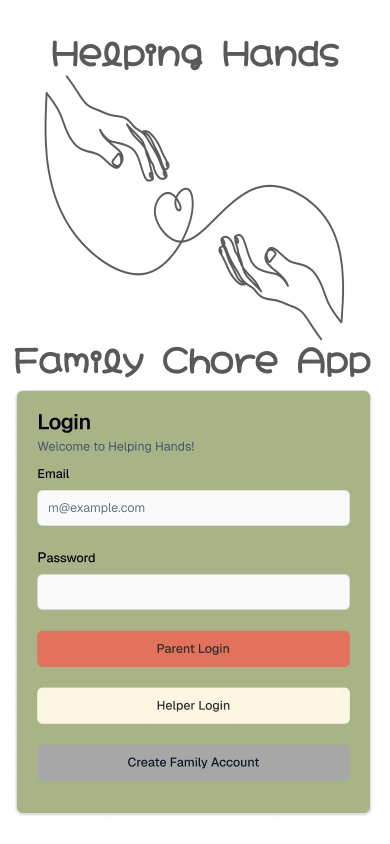
Helping Hands is a mobile app designed to help families organize and manage household responsibilities more effectively. The main problem I wanted to solve was the lack of clear communication and organization when it comes to assigning and completing chores within a household. Many families struggle to keep track of tasks, which can lead to confusion and frustration.

The target users for this app are parents and children who need a simple and easy way to manage daily responsibilities. My role in this project was UX/UI designer, where I was responsible for research, wireframing, prototyping, and visual design.

To begin, I created task scenarios and explored how users would interact with the app. I then developed low-fidelity wireframes to map out the user flow and overall structure. After that, I designed high-fidelity screens that focused on clarity, usability, and a clean layout. I made design decisions based on keeping navigation simple and making tasks easy to assign and track.

Throughout the process, I tested my design and gathered feedback, which helped me improve navigation and user flow. For example, I identified the need for clearer navigation and added improvements such as better organization of tasks and more intuitive screen transitions.

The final result is a user-friendly app that simplifies chore management and improves communication within families. This project helped me strengthen my skills in UX design, especially in creating user-centered solutions and refining designs based on feedback.


Problem Statement

Families struggle to organize and track household tasks efficiently, leading to confusion and poor communication.


Target User

Parents and children who need a simple and effective way to manage chores.


My Role

UX/UI Designer

  • Research

  • Wireframing

  • Prototyping

  • Visual Design

Process Images

Final UI Screens


Key Design Decisions
  • Simplified navigation for ease of use

  • Clear task organization

  • Minimal design for readability


Reflection

This project taught me the importance of user-centered design and testing. I learned how valuable feedback is in improving usability and how small changes can make a big difference in the user experience.


Contact

Looking for character design or motion work?

Get in touch — [email protected]

MTEC Digital Design Mascot

Designing a symbolic mascot that represents creativity, tools, and the foundation of digital thinking

Quick Summary
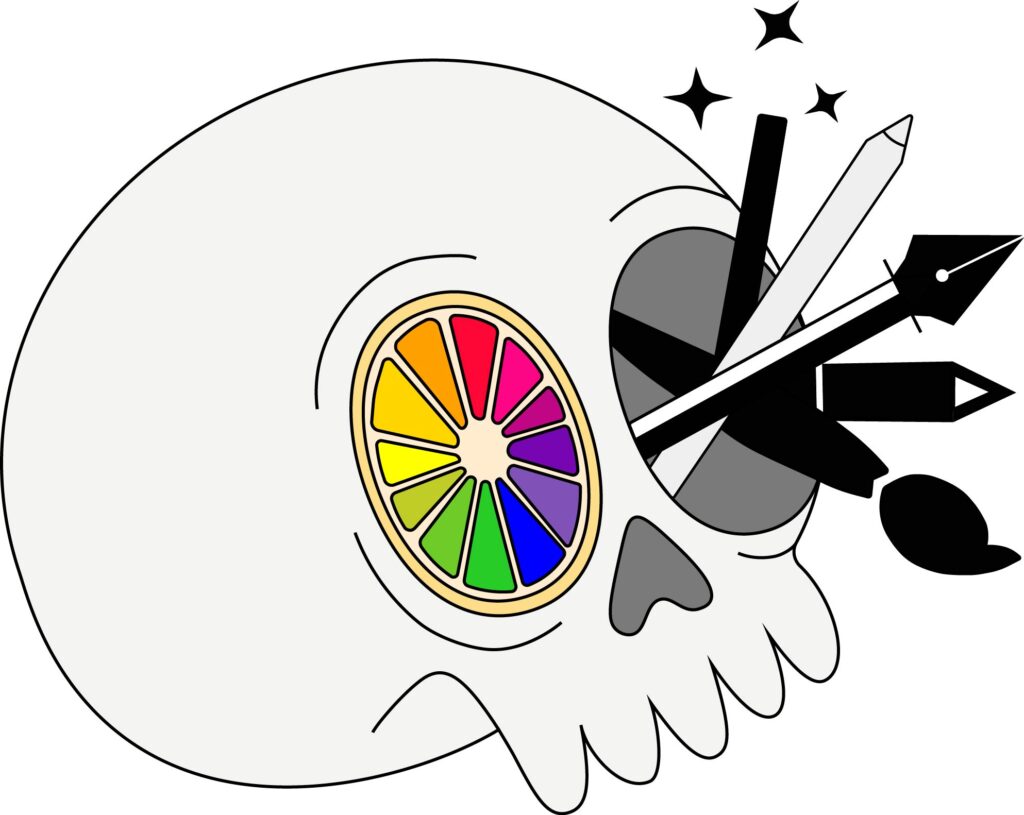
I designed a mascot for MTECH’s Digital Media program that visually represents where creativity originates. By combining a skull (symbolizing the mind), a color wheel, and essential design tools, the final concept communicates both the creative process and the technical skills used in digital design.

Problem

MTECH’s Digital Media program needed a mascot that could:

  • Represent both creativity and technical skill

  • Feel engaging and memorable to students

  • Visually communicate what digital design is about

The challenge was to create a character that goes beyond surface-level visuals and instead reflects the core of creative thinking.


Role + Constraints

Role: Designer & Illustrator
Tools: Adobe Illustrator

Constraints:

  • Had to be created in Illustrator

  • Needed to present concept, process, and final design

  • Required clear connection to a specific MTECH program


Process
1. Concept Development

I explored ideas around what digital design really comes from. Instead of focusing only on external tools, I focused on the source of creativity—the mind.

This led to the core concept:


    • Skull → represents creative thinking and ideas

    • Color wheel → represents design fundamentals

    • Tools → represent execution and technical skill

    • Tools → represent execution and technical skill


2. Ideation (Thumbnails)

I sketched multiple concepts to explore different ways to combine symbolism and personality

From these thumbnail, I selected the concept that most clearly balanced:

      • Meaning

      • Visual clarity

      • Creativity


3. Design Development

I refined the selected concept in Illustrator, focusing on clean vector shapes and strong visual symbolism.

      • Integrated a color wheel styled like an orange slice
        → adds creativity + makes the concept more visually engaging

      • Incorporated design tools:

        • Stylus pen

        • Pen tool

        • Pencil tool

        • Paintbrush tool

        • Magic wand tool

      • Used bold, clean shapes for scalability and readability

      • Used a skull to represent the origin of creative thinking

      • Integrated a color wheel to highlight design fundamentals

      • Included tools to show the connection between idea and execution


Solution (Final Design)
      • The skull represents the origin of ideas and creative thinking

      • The color wheel (orange slice) emphasizes the importance of color in design

      • The tools highlight the technical skills used in digital media

The result is a mascot that visually communicates both conceptual thinking and hands-on design work.


Why This Works

This design is effective because it:

      • Connects concept (thinking) with execution (tools)

      • Uses recognizable design elements (color wheel, tools)

      • Balances creativity with clarity

      • Creates a memorable and unique identity for the program


Results
      • Successfully presented to class with full process

      • Demonstrated ability to:

        • Develop a concept from idea → execution

        • Use Illustrator to create clean vector artwork

        • Communicate meaning through design


Contact

Interested in branding, illustration, or mascot design?

Let’s work together — [email protected]

Sticker Design Set

Designing a themed sticker system for the expressive visual communication


Quick Summary

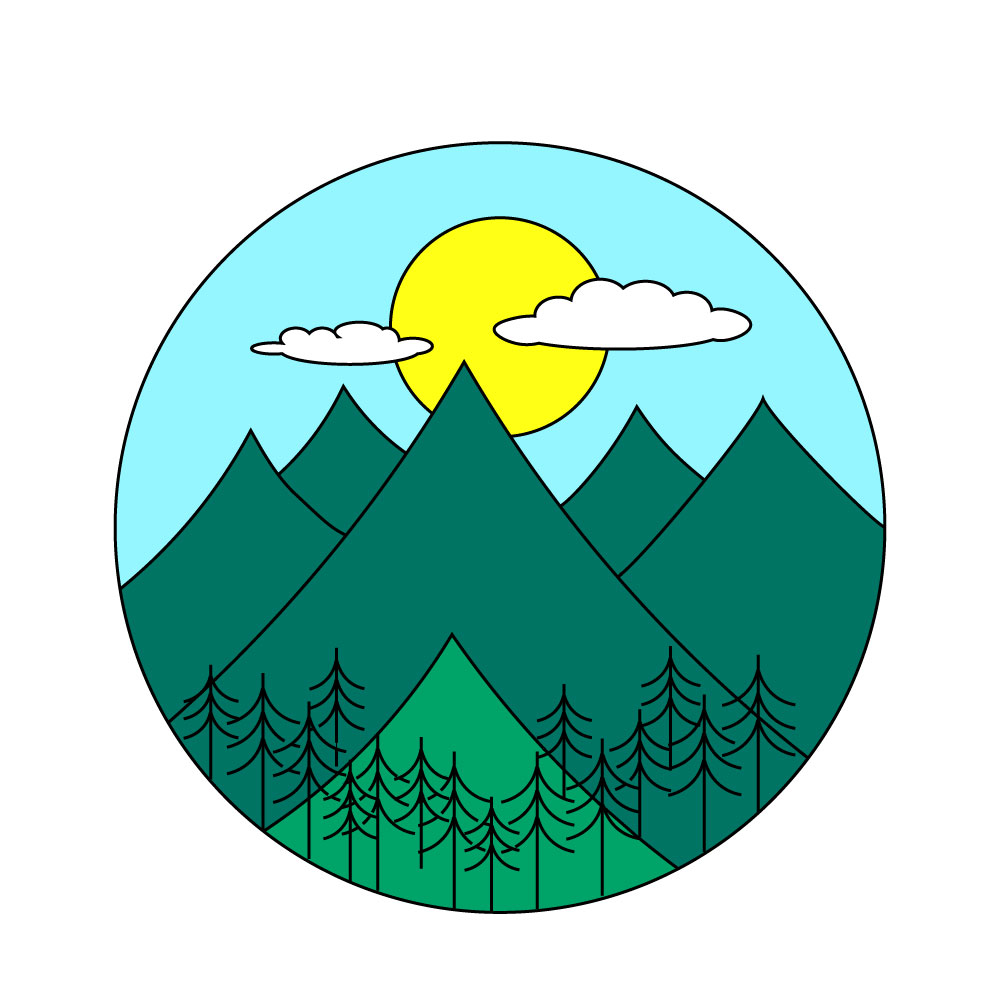
This project involved designing a set of 6 cohesive stickers based on a single theme. The goal was to create expressive, clean, and visually engaging designs that could be used for personal expression while maintaining consistency across the set.


Problem

Sticker design requires:

  • Strong visual clarity at small sizes

  • Consistency across multiple designs

  • A unified theme that connects the full set

The challenge was to design 6 stickers that feel like part of the same system while still being visually interesting on their own.


Role + Constraints

Role: Illustrator / Graphic Designer

Tools: Adobe Illustrator

Constraints:

  • 6 stickers total

  • One unified theme

  • Must include cut line

  • Must be clean, readable, and scalable

  • Must follow design principles


Process
1. Concept + Theme Development

I began by brainstorming multiple sticker themes such as:

  • Food

  • Technology

  • Characters

  • Symbolic objects

I selected a single theme to ensure consistency across all 6 designs.


2. Thumbnail Exploration
 

I sketched a few thumbnail ideas and selected the strongest 6 based on:

  • Clarity

  • Theme consistency

  • Visual balance

  • Personality


3. Vector Development

Using Illustrator, I refined each sticker by:

  • Converting sketches into clean vector shapes

  • Adding bold outlines for readability

  • Ensuring strong contrast

  • Maintaining consistent visual style across all stickers


4. Cute Line + Final Setup
 

Each sticker was placed on a 1000 x 1000 artboard and a cut line was added to prepare the designs for print or production.


Solution

The final sticker set includes 6 cohesive designs that:

  • Share a unified theme

  • Are visually consistent as a collection

  • Work clearly at small sizes

  • Are print-ready with proper cut lines


Why This Works
  • Strong consistency creates a recognizable sticker “system”

  • Simple shapes improve readability

  • Bold outlines help with production clarity


Results
  • Completed a full 6-piece sticker system

  • Applied Illustrator tools for clean vector work

  • Demonstrated ability to design for real-world production

  • Successfully prepared files for critique and submission


What I Learned

This project strengthened my ability to:

  • Design within strict consistency rules

  • Simplify visuals for small-scale formats

  • Build cohesive visual systems instead of single illustrations


Contact


Interested in sticker design or custom illustration work?

Let’s connect — [email protected]